Matter monitoring with Topologix
Infrastructure & Networking
Onboard Matter sensors directly — Topologix runs a real Matter controller (an admin on its own fabric) on the proxy and reads temperature, humidity, pressure, motion, contact, water-leak, smoke/CO, and battery from commissioned devices, including every device bridged under a hub. No vendor cloud in the loop.
Requirements
- A proxy agent on the device LAN — Matter sources must run on a proxy (the cloud server can’t reach Matter devices). The controller library,
@matter/main, ships with the proxy as an optional dependency. - The device’s IP address and a pairing code — commissioning is deliberately mDNS-free (corporate networks block mDNS), so give the device a static DHCP reservation. Thread devices additionally need a Thread Border Router on the LAN.
1 · Set up the integration
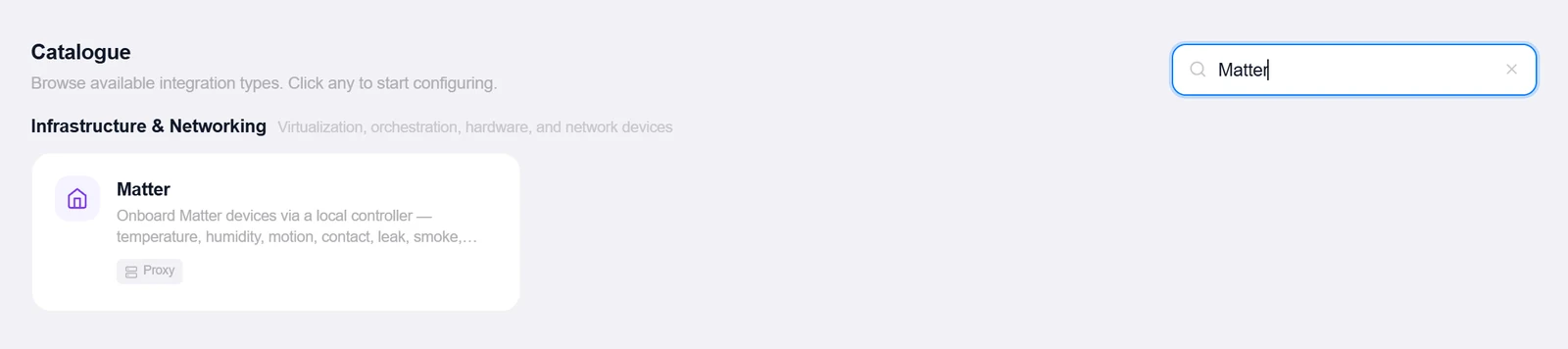
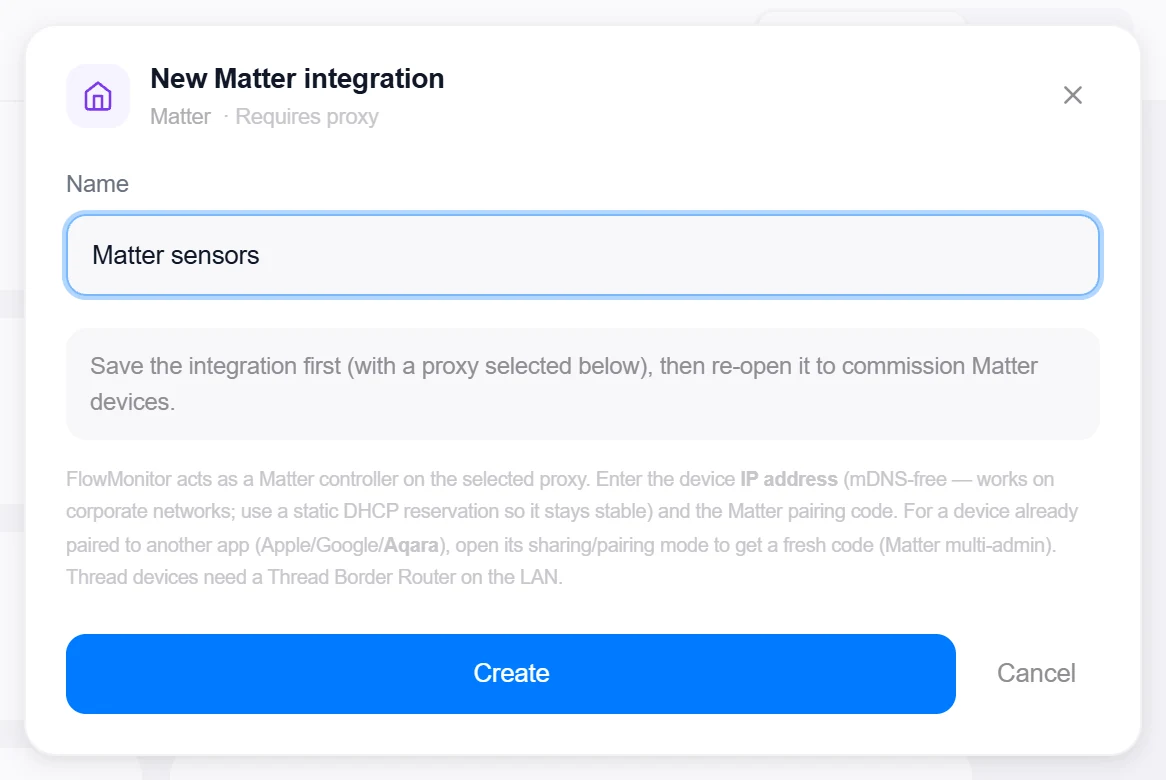
- Open the Integrations pageClick Integrations in the toolbar, pick Matter, choose the proxy, and save — the commissioning controls appear when you re-open the integration.
- Commission a deviceEnter the Device IP, Port (default 5540), and the Pairing code — the 11-digit manual code or the QR
MT:payload — plus an optional label, then Commission device. For a device already paired to Apple/Google/Aqara, open its sharing mode for a fresh code (Matter multi-admin). - Name and locate the bridged devicesExpanding a commissioned hub lists each physical device by serial number — rename them (bridges expose only the official product name), and Locate flashes the device’s indicator via the Matter Identify command.
Target on a private network? Route it through a proxy agent. Proxy agents run inside your network — behind NAT, on a management VLAN, in an air-gapped segment — and reach targets the Topologix server can't. The agent polls the server every 15 seconds for its assignments, runs the checks locally, and pushes results back every 5 seconds, so no inbound firewall rules are ever needed. Set a default proxy on the integration; every metric source can override it. If a proxy goes offline, its sources are marked stale within ~90 seconds and the last known values stay visible.
2 · Add it to a flow
- Select the nodeClick the node, open Metrics, then + Add and choose the Matter integration.
- Pick the commissioned deviceOne source per commissioned node — all of its sensors, including bridged children, are tracked: temperature, humidity, motion, contact, leak, smoke, battery.
- SaveSet the interval and click Add Source. The card headlines max temperature and humidity, banners leak and smoke alarms in red, shows motion state, and tracks the worst battery — low batteries warn at 20% and go critical at 10%.
Live canvas screenshots for this integration require a real Matter environment, so this guide shows the configuration screens only — the flow steps above work exactly like every other integration.
Good to know
- The fabric (operational credentials + device table) is backed up encrypted to the server — a proxy reinstall or a hand-off to a different proxy resumes the same fabric without re-commissioning, and a single-owner lease stops two proxies from driving one fabric.
- Commissioning and cluster reads were validated against real hardware (an Aqara bridge with many endpoints); water-leak/contact and smoke/CO follow the same standard clusters but weren’t exercised on that bridge.
- A Matter contact sensor reports StateValue true for closed — the card translates it to Open/Closed, so no inverted-logic surprises.
More Infrastructure & Networking integrations
See it on your own infrastructure
Book a demo and we will walk you through Topologix with your systems in mind: on our cloud, or self-hosted in your own network.