Room Alert monitoring with Topologix
Infrastructure & Networking
AVTECH Room Alert environmental monitoring — temperature, humidity, water leak, smoke/fire, door contacts, and analog channels read straight off the monitor’s HTTP JSON endpoint. Credentials live on the integration; each Room Alert unit is a metric source addressed by host, polled through the on-prem proxy.
Requirements
- A Room Alert monitor with its HTTP JSON interface reachable — newer firmware serves
/getData.json, and older variants are auto-probed. Most units need no login; username/password or an API token are optional. - HTTP(S) reach from a proxy agent on the device’s network — these units typically sit on isolated facility VLANs, and plain HTTP is the default transport.
1 · Set up the integration
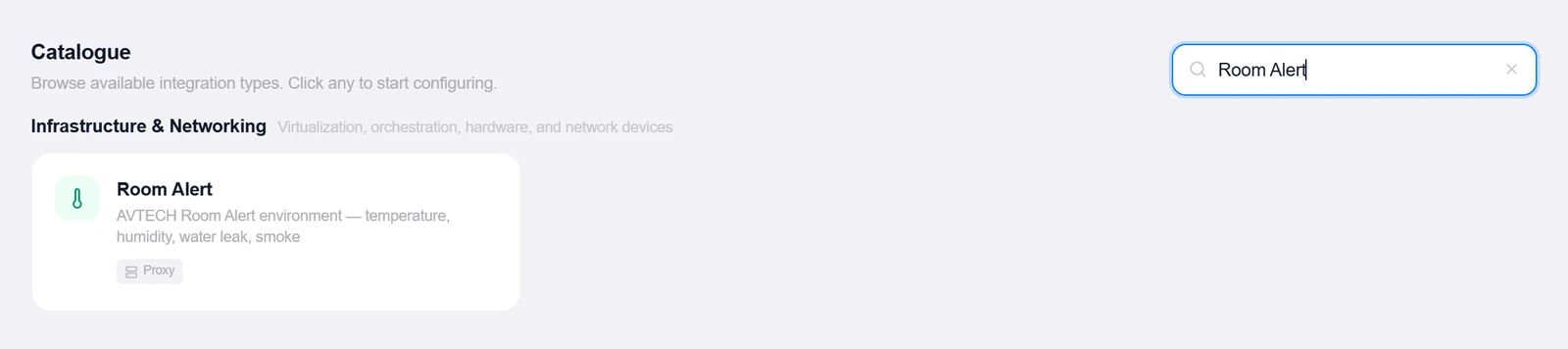
- Open the Integrations pageClick Integrations in the toolbar and pick Room Alert from the catalogue.
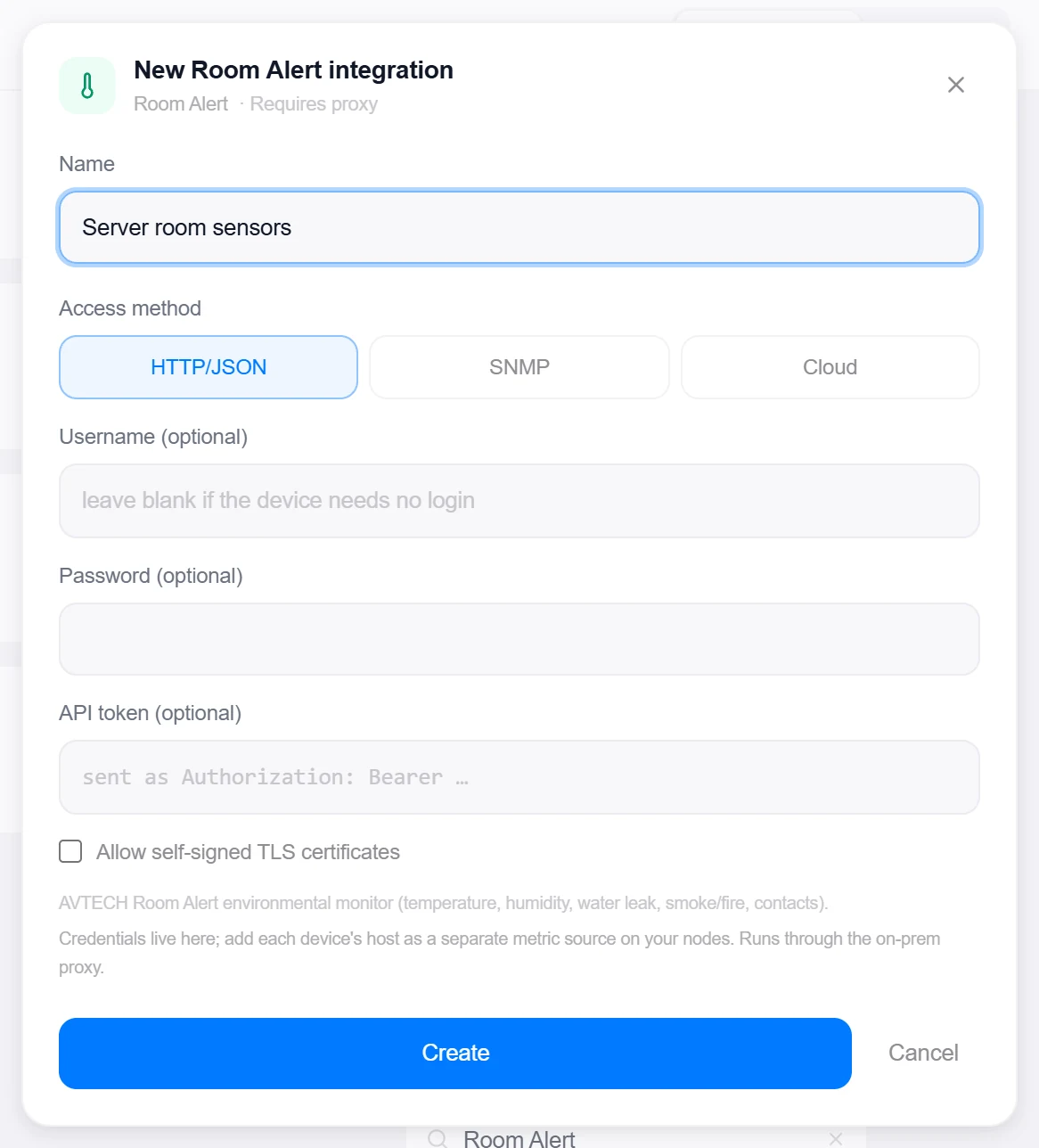
- Choose the access method and credentialsHTTP/JSON is the implemented path (SNMP and Cloud are scaffolded but not yet implemented). Optional Username/Password, an optional API token (sent as
Authorization: Bearer), and an Allow self-signed TLS certificates toggle. - Create, then verifyClick Create, then reopen the integration, enter any device’s IP under Test device host, and click Test — it probes the known data endpoints and reports the model plus how many sensors it parsed. The test host isn’t saved.
Target on a private network? Route it through a proxy agent. Proxy agents run inside your network — behind NAT, on a management VLAN, in an air-gapped segment — and reach targets the Topologix server can't. The agent polls the server every 15 seconds for its assignments, runs the checks locally, and pushes results back every 5 seconds, so no inbound firewall rules are ever needed. Set a default proxy on the integration; every metric source can override it. If a proxy goes offline, its sources are marked stale within ~90 seconds and the last known values stay visible.
2 · Add it to a flow
- Select the room or rack nodeClick the node, open Metrics, then + Add and choose the Room Alert integration. Enter this unit’s Device host.
- Discover and pick sensorsDiscover sensors lists everything the unit reports, grouped by category — leave none selected to track them all. An optional Card pill sensor shows one reading as the colored value on the node card and the rack U-bar.
- SaveSet the interval and click Add Source. The card headlines max temperature and humidity, banners water-leak and smoke/fire alarms in red, and lists every sensor by category; any Critical sensor turns the source red.
Live canvas screenshots for this integration require a real Room Alert environment, so this guide shows the configuration screens only — the flow steps above work exactly like every other integration.
Good to know
- Device JSON varies by model and firmware, so the parser is deliberately defensive: it probes several known endpoints and maps the internal sensor, the sensor array, digital switch sensors (status 1 = alarm), and analog channels with field-name fallbacks.
- Switch and analog channels are categorized from their labels (flood, smoke, door, motion, pressure…), so a leak sensor raises the water-leak aggregate rather than landing as a generic contact.
More Infrastructure & Networking integrations
See it on your own infrastructure
Book a demo and we will walk you through Topologix with your systems in mind: on our cloud, or self-hosted in your own network.