AWS Shield Advanced monitoring with Topologix
Security
DDoS visibility for resources under AWS Shield Advanced — a DDoS-detected flag plus attack volume in bits, packets, and requests per second from the AWS/DDoSProtection CloudWatch namespace, per protected resource (CloudFront, ALB/NLB, Elastic IP, Route 53 zone, Global Accelerator). This integration monitors an existing Shield Advanced subscription — it does not create one.
Requirements
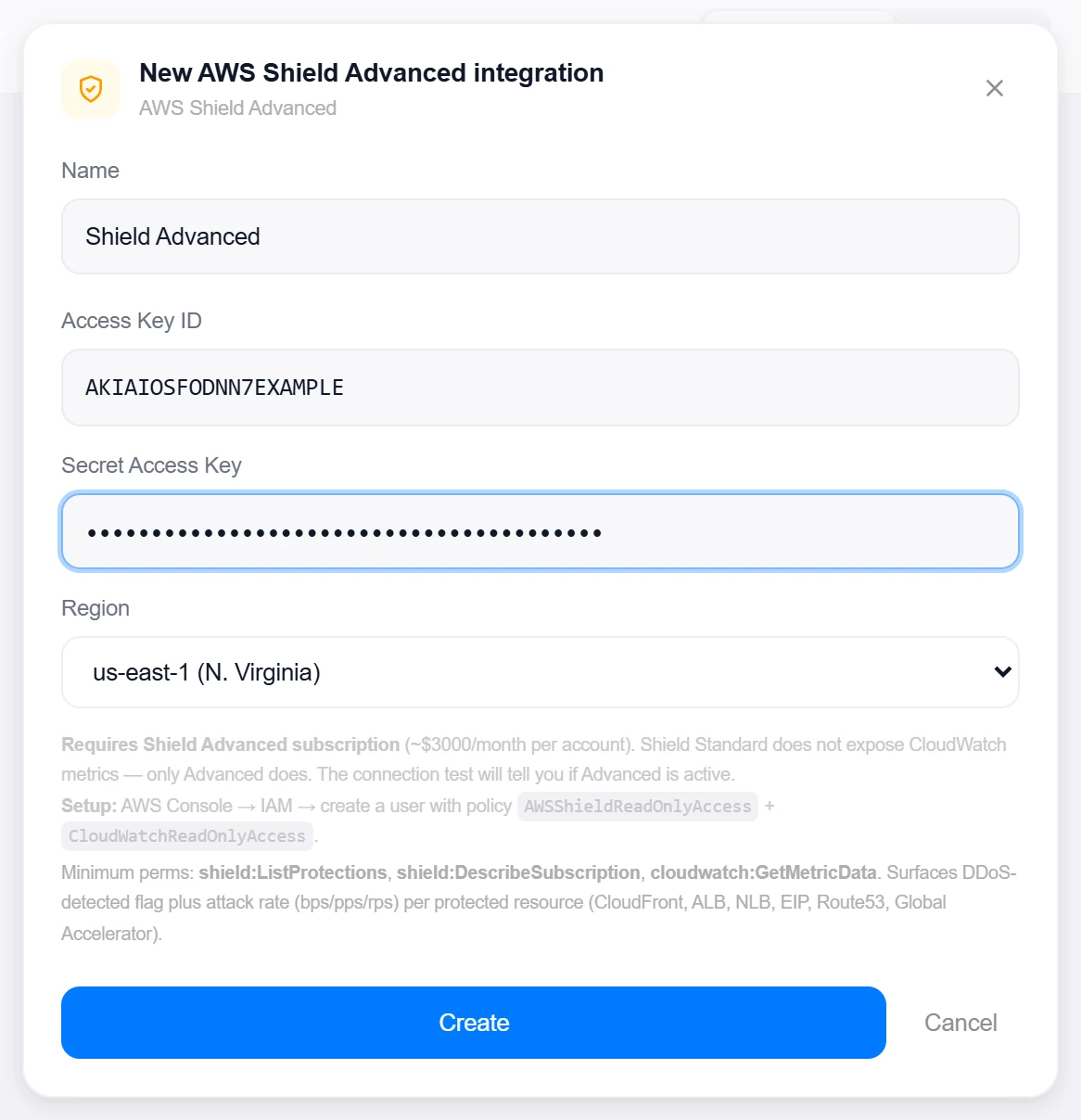
- An active Shield Advanced subscription on the account. Shield Advanced is its own AWS product at roughly $3,000/month — Shield Standard (the free tier every account has) exposes no CloudWatch metrics, so without Advanced there is nothing to read, and the connection test says so plainly.
- An IAM user with the read-only policies
AWSShieldReadOnlyAccess+CloudWatchReadOnlyAccess— the minimum is shield:ListProtections, shield:DescribeSubscription, and cloudwatch:GetMetricData.
1 · Set up the integration
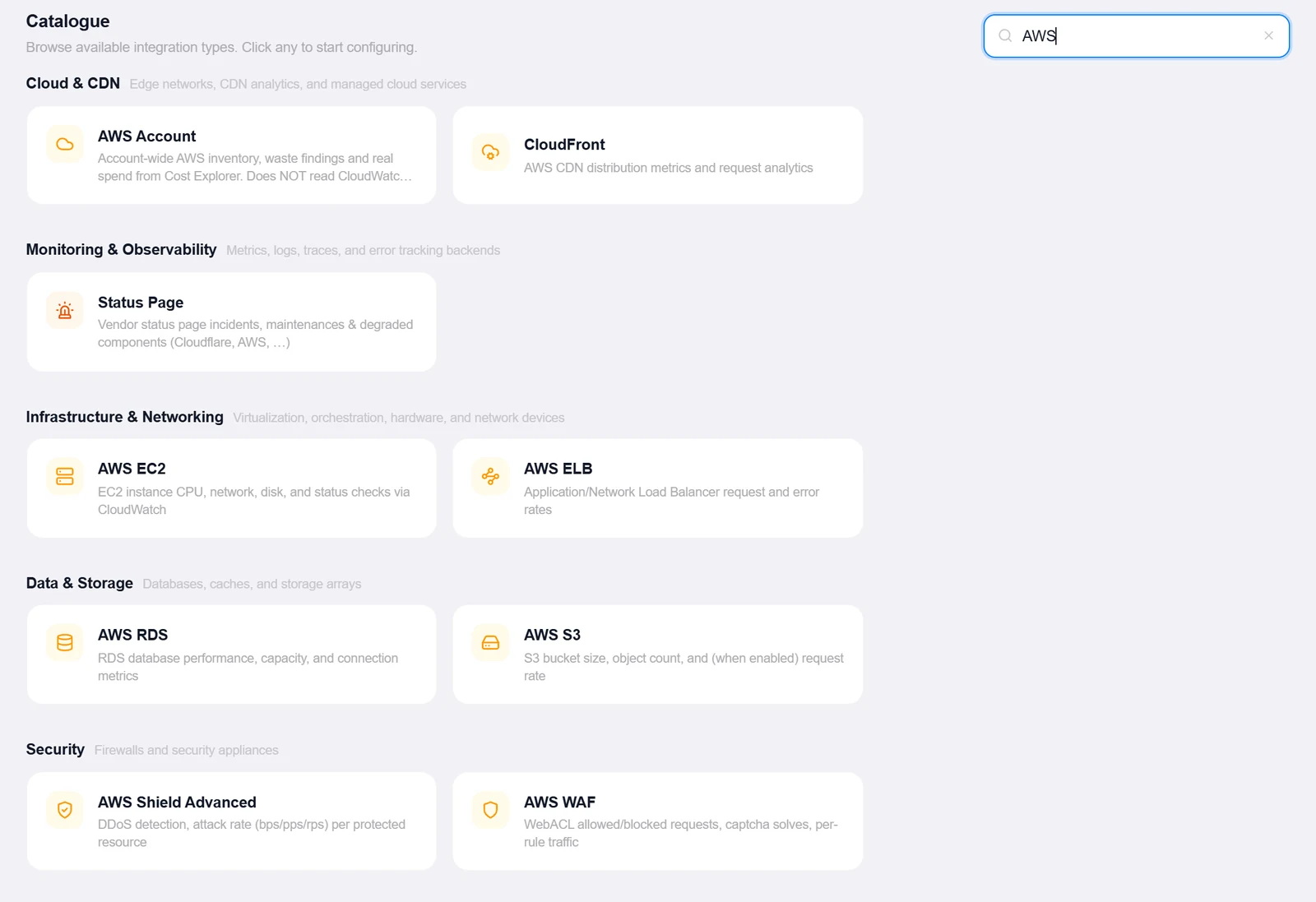
- Open the Integrations pageClick Integrations in the toolbar and pick AWS Shield Advanced from the catalogue.
- Enter the AWS credentialsAccess Key ID, Secret Access Key, and the Region — the region governs where CloudWatch is queried; Shield’s own API is global and always answered from us-east-1.
- Create, then verifyClick Create, then reopen the integration and click Test — it calls DescribeSubscription first, so a missing Shield Advanced subscription fails with an explicit message instead of a silent empty list; with Advanced active it reports "Connected — N protected resource(s)".
Target on a private network? Route it through a proxy agent. Proxy agents run inside your network — behind NAT, on a management VLAN, in an air-gapped segment — and reach targets the Topologix server can't. The agent polls the server every 15 seconds for its assignments, runs the checks locally, and pushes results back every 5 seconds, so no inbound firewall rules are ever needed. Set a default proxy on the integration; every metric source can override it. If a proxy goes offline, its sources are marked stale within ~90 seconds and the last known values stay visible.
2 · Add it to a flow
- Select the nodeClick the node carrying the protected resource, open Metrics, then + Add and choose the Shield integration.
- Pick protected resourcesDiscovery lists every Shield protection with its resource type (cloudfront, alb, nlb, classic-elb, eip, route53, global-accelerator) — each ticked resource becomes its own source. Set the CloudWatch Period.
- SaveSet the interval and click Add Source. The card shows the DDoS-detected flag and the attack’s bps / pps / rps for the window — all zeros in peacetime.
Live canvas screenshots for this integration require a real AWS Shield Advanced environment, so this guide shows the configuration screens only — the flow steps above work exactly like every other integration.
Good to know
- Zero is the healthy reading: DDoSDetected and the three attack rates all sit at 0 outside an attack — a threshold on DDoSDetected ≥ 1 is the natural alert rule.
- All series are read with the Maximum statistic over the window, so a short spike inside the period is caught rather than averaged away.
- The per-vector attack breakdown (SYN flood vs UDP reflection, …) is deliberately not fetched — it multiplies CloudWatch query volume and only carries information during an active attack.
More Security integrations
See it on your own infrastructure
Book a demo and we will walk you through Topologix with your systems in mind: on our cloud, or self-hosted in your own network.