TLS Certificate Probe monitoring with Topologix
Infrastructure & Networking
Synthetic TLS handshakes against any host:port, SNI-aware — days to expiry as the headline, chain validity against the system CA store, SAN/hostname match, self-signed flag, and weak-protocol detection. One source probes up to 50 certificates and rolls the worst one up to the card.
Requirements
- TCP reach from the Topologix server to each probed host:port (default 443) — or a proxy agent via the Run on picker for LAN-only endpoints.
- No credentials and nothing to install — it completes a real TLS handshake and reads the certificate the server presents.
1 · Set up the integration
- Open the Integrations pageClick Integrations in the toolbar and pick TLS Certificate Probe from the catalogue.
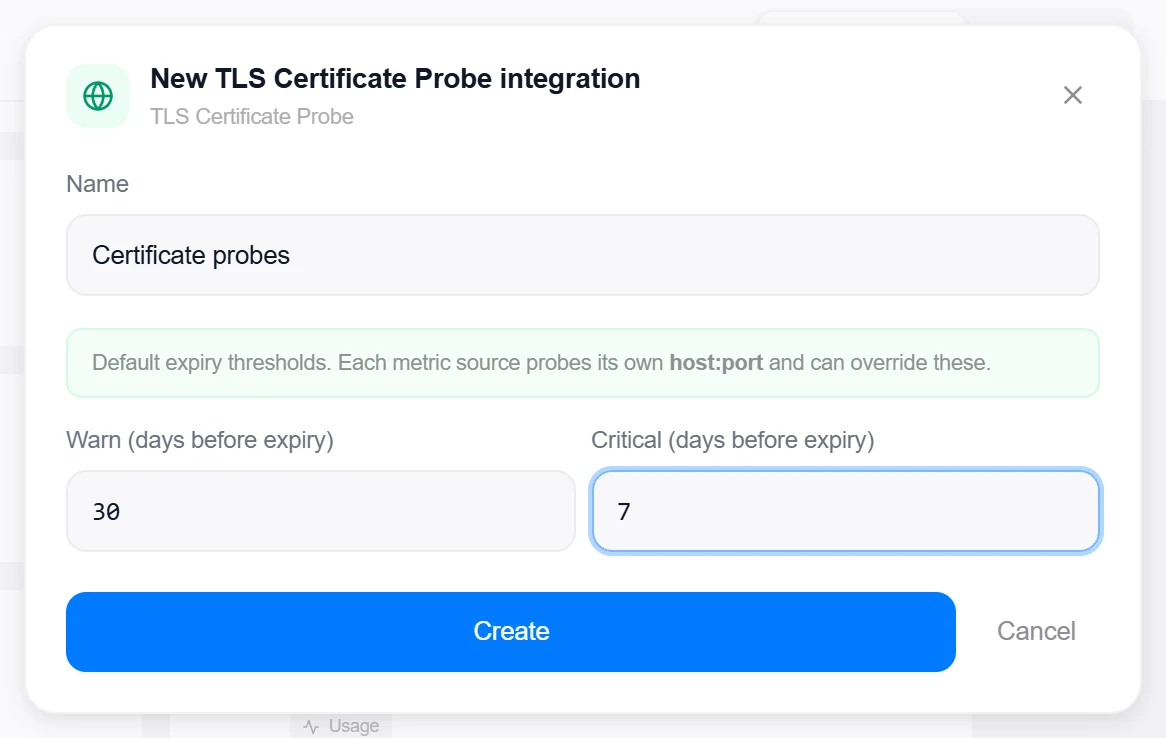
- Set the default thresholdsWarn (days before expiry) — default 30 — and Critical (days before expiry) — default 7. That’s the whole integration: every target lives on the metric sources, which can also override these per source.
- Create, then verifyClick Create, then reopen the integration and click Test — with only defaults configured it confirms “Defaults saved — each source probes its own host:port”.

Target on a private network? Route it through a proxy agent. Proxy agents run inside your network — behind NAT, on a management VLAN, in an air-gapped segment — and reach targets the Topologix server can't. The agent polls the server every 15 seconds for its assignments, runs the checks locally, and pushes results back every 5 seconds, so no inbound firewall rules are ever needed. Set a default proxy on the integration; every metric source can override it. If a proxy goes offline, its sources are marked stale within ~90 seconds and the last known values stay visible.
2 · Add it to a flow
- Select the nodeClick the node carrying the endpoint, open Metrics, then + Add and choose the TLS Certificate Probe integration.
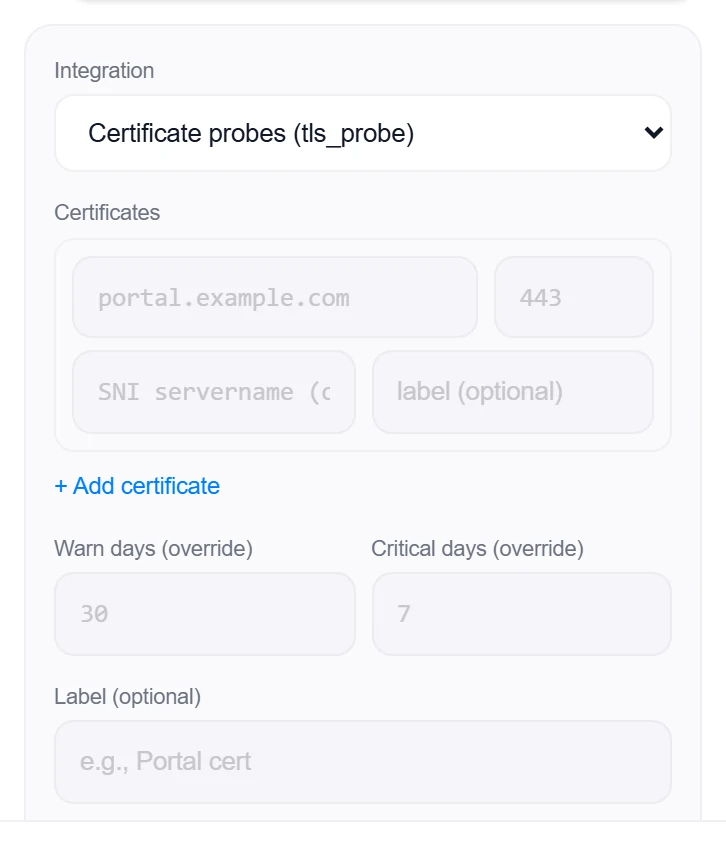
- List the certificatesOne row per certificate: host and port (443), plus optional SNI servername (for name-based virtual hosts) and a label. + Add certificate grows the list — one source can watch a whole estate of endpoints.
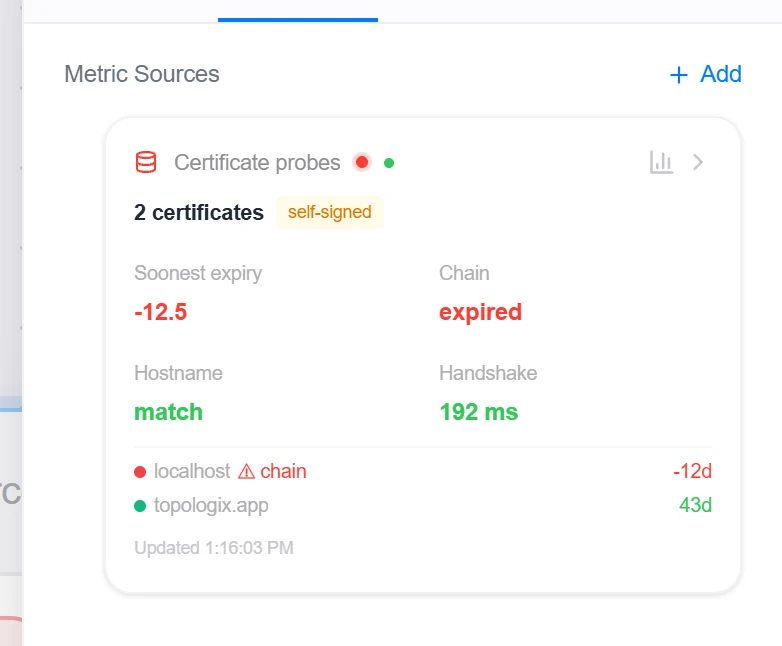
- SaveOptionally override Warn days / Critical days for this source, set the interval, and click Add Source. The card headlines the soonest expiry across the list, with per-certificate chain, hostname, and protocol verdicts behind it.
Good to know
- Verification is disabled during the handshake on purpose — expired, self-signed, or mis-issued certificates are observed and reported instead of failing the probe; legacy protocols are allowed so servers still speaking SSLv3/TLS 1.0/1.1 are flagged rather than skipped.
- Hosts are probed in parallel; an unreachable host becomes a critical row that sorts to the top, and the source only errors when every host fails. Boolean verdicts surface as 0/1 values, so alert thresholds work on them directly.
- Once expired, days-to-expiry goes negative — a threshold on the headline value catches both “expiring soon” and “already expired”.
More Infrastructure & Networking integrations
See it on your own infrastructure
Book a demo and we will walk you through Topologix with your systems in mind: on our cloud, or self-hosted in your own network.