Microsoft 365 monitoring with Topologix
Infrastructure & Networking
Tenant security posture and Microsoft 365 health over Microsoft Graph — interactive sign-in success rate, risky users, Conditional Access drift, app-credential expiry, audit-driven security checks, and per-workload service health with an “is it us or Microsoft” verdict. Every section degrades gracefully when a permission or licence is missing.
Requirements
- A dedicated app registration with a client secret and application Graph permissions, admin-consented:
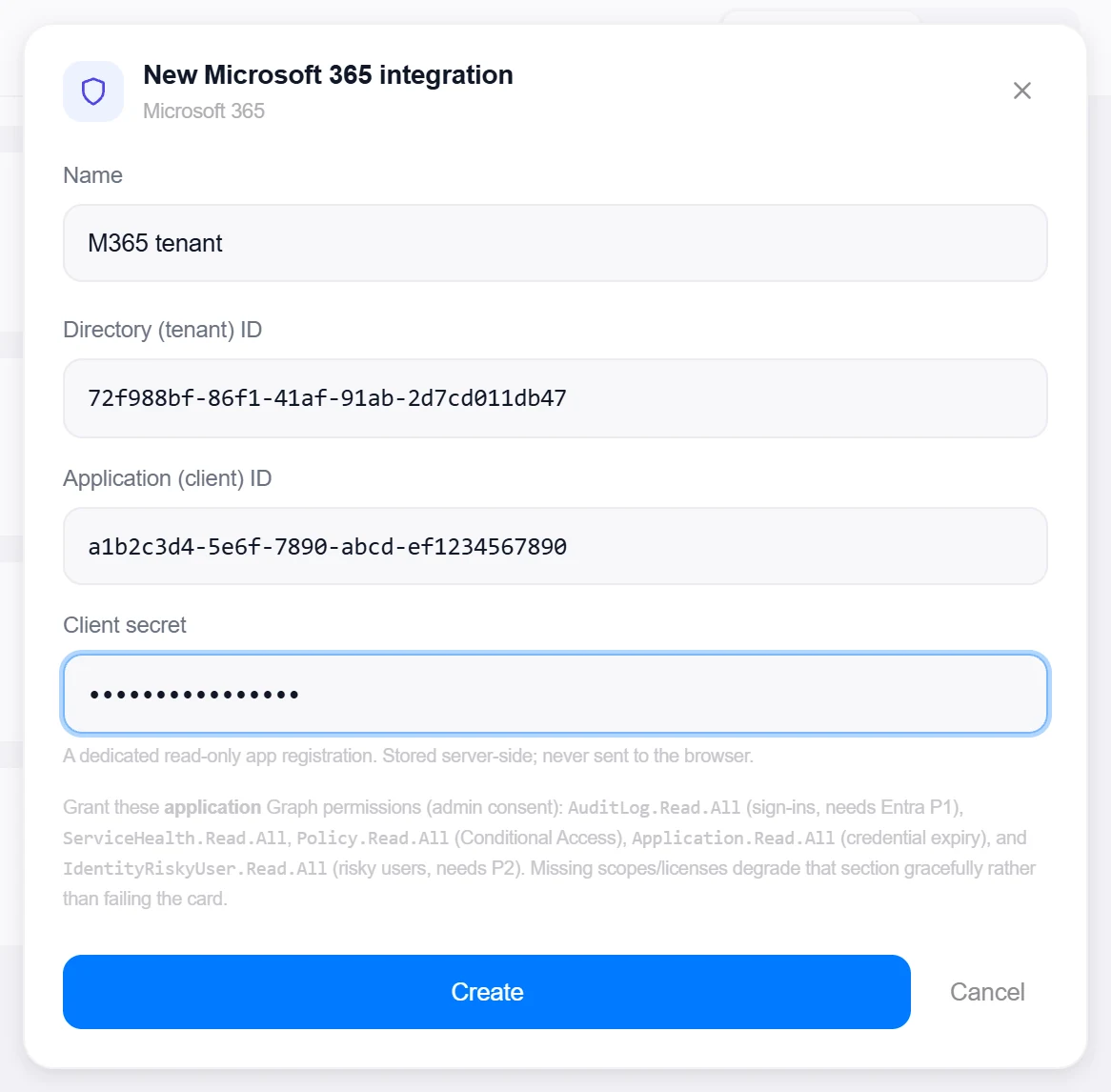
AuditLog.Read.All(sign-ins, needs Entra ID P1),ServiceHealth.Read.All,Policy.Read.All(Conditional Access),Application.Read.All(credential expiry), andIdentityRiskyUser.Read.All(risky users, needs P2). - No network prerequisites — Graph is a cloud API the server reaches directly. The client secret is stored server-side and never sent to the browser.
1 · Set up the integration
- Open the Integrations pageClick Integrations in the toolbar and pick Microsoft 365 from the catalogue.
- Register the appCreate a dedicated read-only app registration in the Entra admin center, add a client secret, and grant the application permissions above with admin consent.
- Enter the IDs and secretDirectory (tenant) ID, Application (client) ID, and the Client secret.
- Create, then verifyClick Create, then reopen the integration and click Test — it acquires a token and probes
/organization, reporting the tenant’s display name. It also catches the classic trap: roles granted as Delegated instead of Application look consented and green in the portal yet never reach a client-credentials token.

Target on a private network? Route it through a proxy agent. Proxy agents run inside your network — behind NAT, on a management VLAN, in an air-gapped segment — and reach targets the Topologix server can't. The agent polls the server every 15 seconds for its assignments, runs the checks locally, and pushes results back every 5 seconds, so no inbound firewall rules are ever needed. Set a default proxy on the integration; every metric source can override it. If a proxy goes offline, its sources are marked stale within ~90 seconds and the last known values stay visible.
2 · Add it to a flow
- Select the tenant nodeClick the node, open Metrics, then + Add and choose the Microsoft 365 integration.
- Pick a scopeTwo tabs: Entra tenant — the full posture card, one source per integration — or M365 service health: a Microsoft-side-only card of open incidents and advisories per workload (Exchange, SharePoint, Teams…) with Microsoft’s tracking IDs, needing only
ServiceHealth.Read.Alland no premium licence. - SaveSet the interval and click Add Source. The tenant card shows sign-in success, service health, risky users, CA drift, app-credential expiry, and the audit-driven security check rows.
Live canvas screenshots for this integration require a real Microsoft 365 environment, so this guide shows the configuration screens only — the flow steps above work exactly like every other integration.
Good to know
- A 403 can mean two very different things — an app role nobody consented to, or a tenant SKU that doesn’t include the feature — and the card classifies which, so operators stop granting permissions for what is actually a licensing gap.
- Licences are read first and gate the security checks: a tenant without P1/P2 issues no requests it isn’t entitled to and gets an honest “needs Entra ID P1” instead of a dressed-up 403.
- The tenant card’s service-health section and the dedicated M365 service-health source share one builder, so the two surfaces can never tell different stories about the same tenant at the same minute.
More Infrastructure & Networking integrations
See it on your own infrastructure
Book a demo and we will walk you through Topologix with your systems in mind: on our cloud, or self-hosted in your own network.